Mark messages as unread
If you read a message, but don't have time to address it right away, you can mark that message as unread. Marking a message as unread displays the channel as bold in the channel sidebar, and groups the message with all other unread messages.
- Web/Desktop
- Mobile
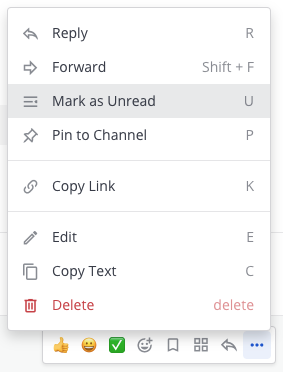
Hover over the message, select the More  option, then select Mark as Unread.

Long press a message, and then tap Mark as Unread.