Invite people to your workspace
Anyone can invite people to Mattermost teams and channels, unless your system admin has disabled your ability to do so.
- Web/Desktop
- Mobile
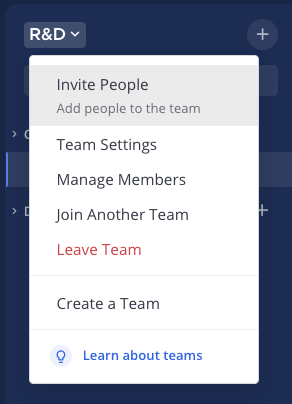
- Select the team name at the top of the channel sidebar, and then select Invite People.
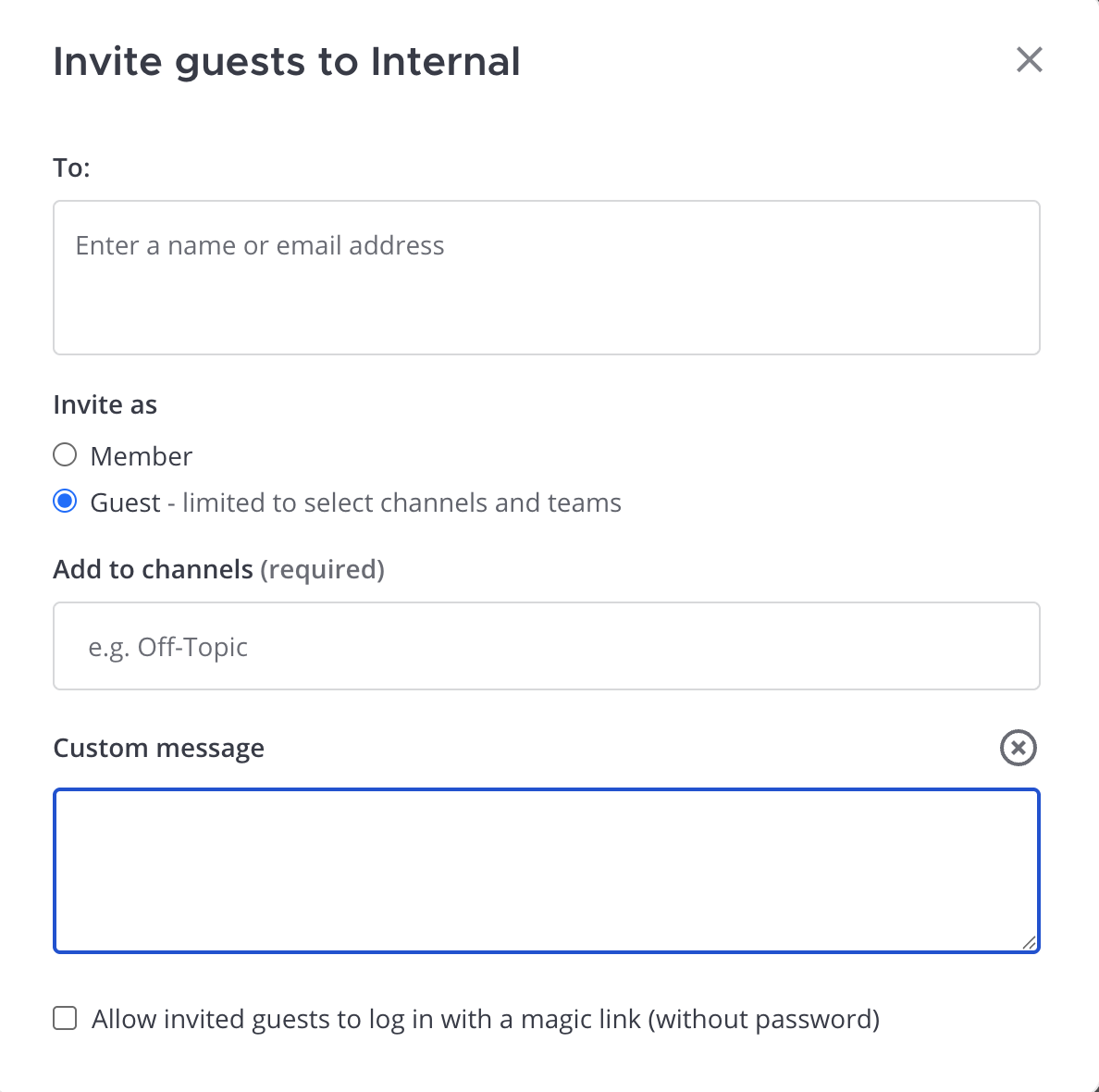
- Choose how to invite people:
- Copy invite link: Share an invitation link with others using apps on your mobile device.
- Invite as member: Send an invitation by email to people who don't have an account on your Mattermost workspace by specifying their email address and selecting Invite.
- Add existing users: Add existing workspace users as members of the current team by specifying their username and selecting Invite.
- Invite as guest: Invite a guest temporarily with limited workspace access. Specify their email address, select the channels they can access, and optionally add a custom message. See the guest accounts documentation to learn more about guest accounts.
- Use magic link: Invite guests to log in without a password using a magic link when enabled by your system admin. See the magic link login for guests documentation for login details.
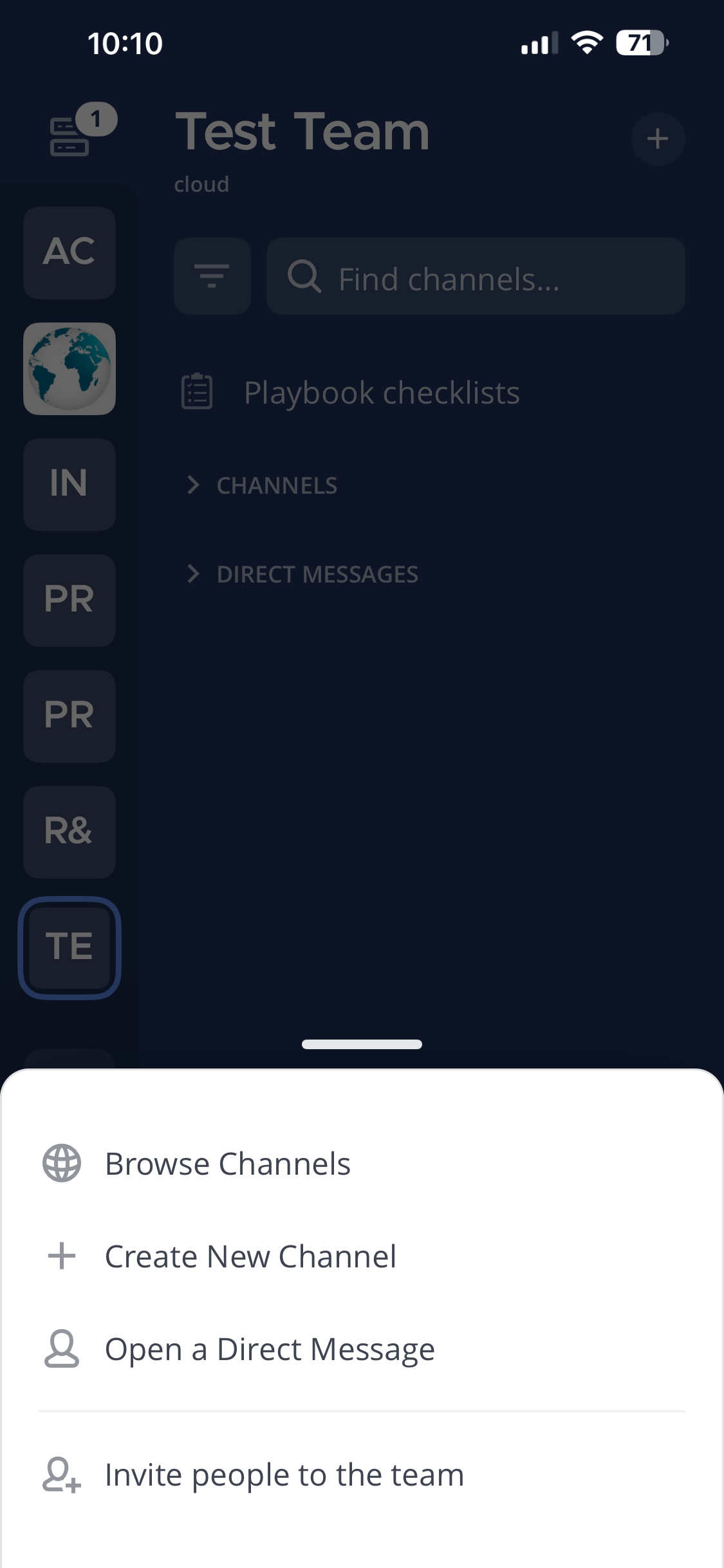
- Tap the
 icon in the top right corner of the screen and tap Invite people to the team.
- Choose how to invite people:
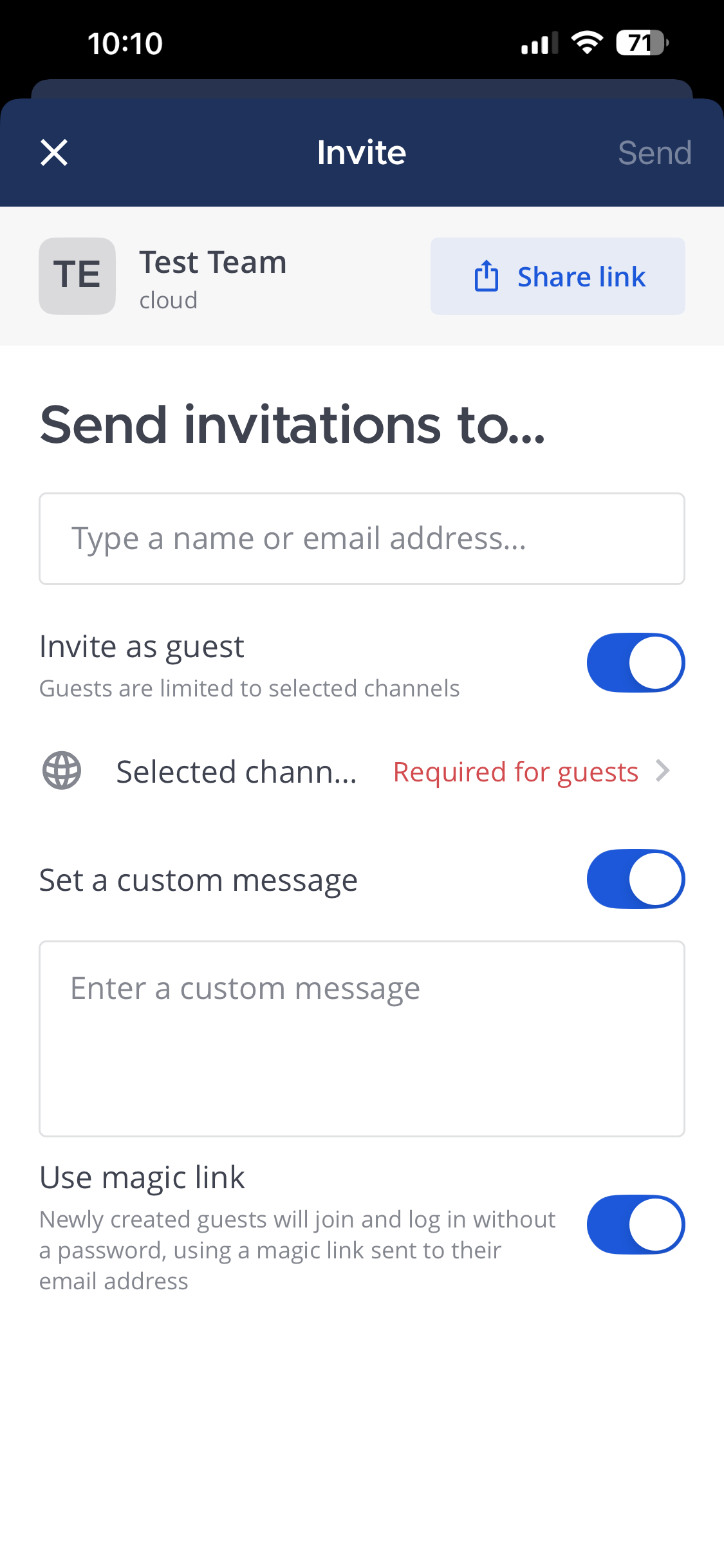
- Share link: Share an invitation link with others using apps on your mobile device.
- Invite as member: Send an invitation by email to people who don't have an account on your Mattermost workspace by specifying their email address and tap Send.
- Add existing users: Add existing workspace users as members of the current team by specifying their username and tap Send.
- Invite as guest: Invite a guest temporarily with limited workspace access. See the guest accounts documentation to learn more about guest accounts. Specify their email address, select the channels they can access, and optionally add a custom message. Tap Send when ready.
- Use magic link: Invite guests to log in without a password using a magic link when enabled by your system admin. See the magic link login for guests documentation for login details.