Use make i18n-extract
make i18n-extract is a command used for localization. It allows you to validate that your strings have been successfully extracted from your source code before you continue.
This page demonstrates how to review your results and to verify if your extraction was successful or not. If the extraction was not successful this page also provides a workaround to correct for this.
-
After you execute
make i18n-extractyou will need to review the results and validate that the strings were either added or removed in thei18n/en.jsonfile. -
Run
git diffand determine if your strings were added or removed in thei18n/en.jsonfile correctly. If this was a successful extraction you will have output similar to below: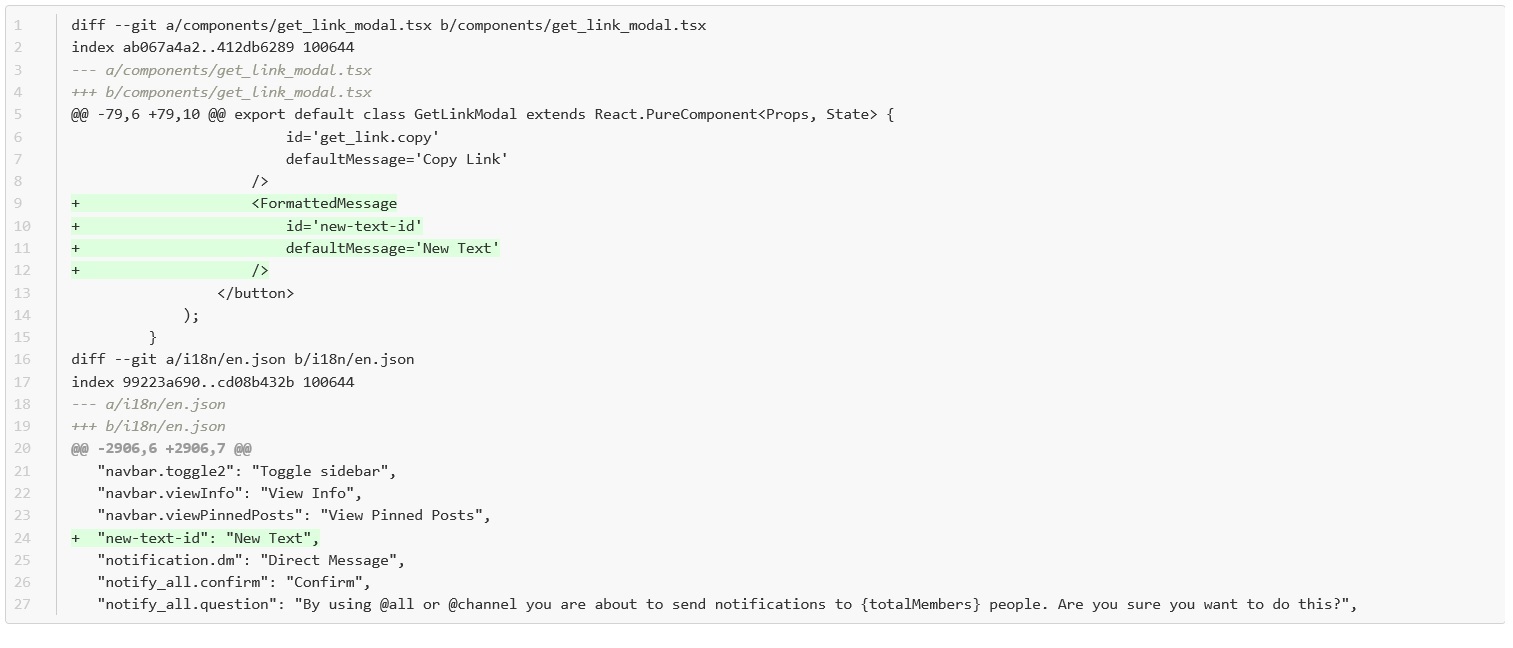
-
However, if you have a string that was not properly extracted you will see an output similar to below. If you executed the
make i18n-extractat this point nothing would change because the string"new-text-id"is not detected as a string that needs to be translated.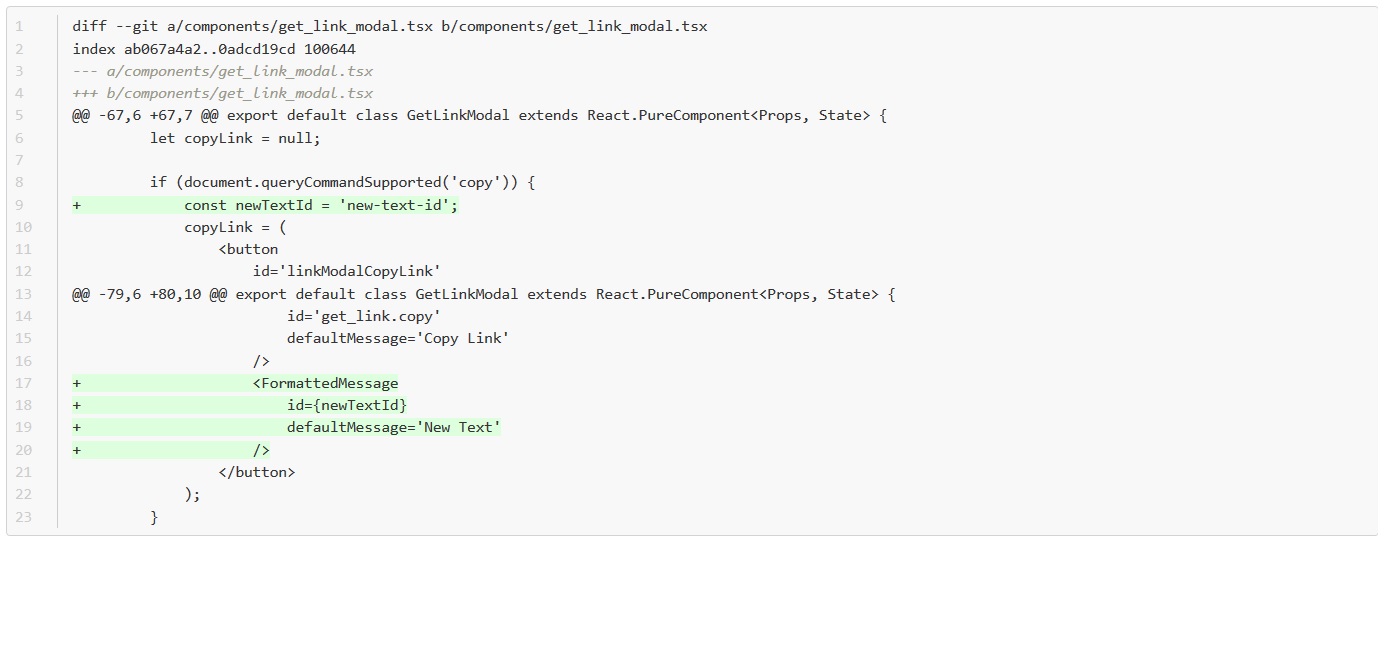
-
The solution is to tag the string. Do this by using the
"t"function, shown in the example below: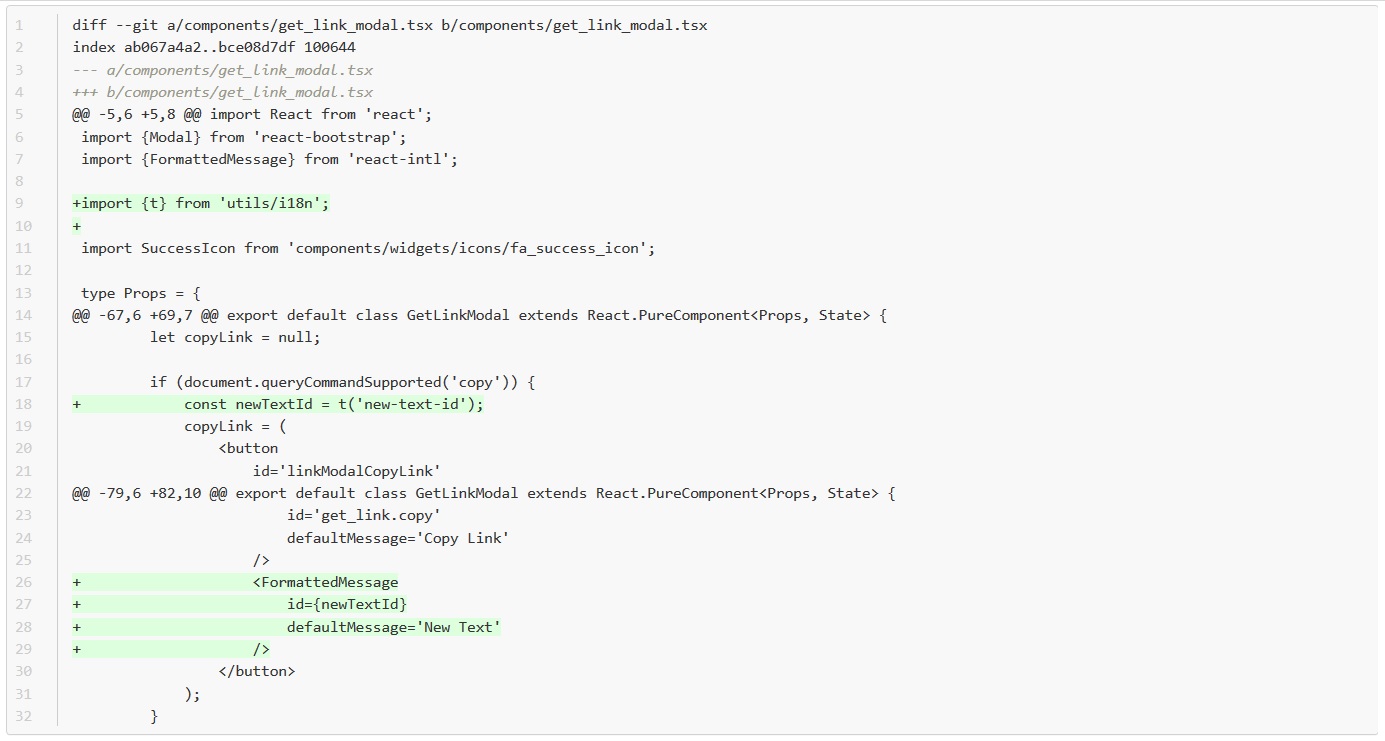
-
At this point you will need to execute the
make i18n-extractonce again and determine if the extraction was successful. This will generate a message in thei18n/en.jsonfile. However, this is not going to extract the "default message", you will have to add this yourself. See example below: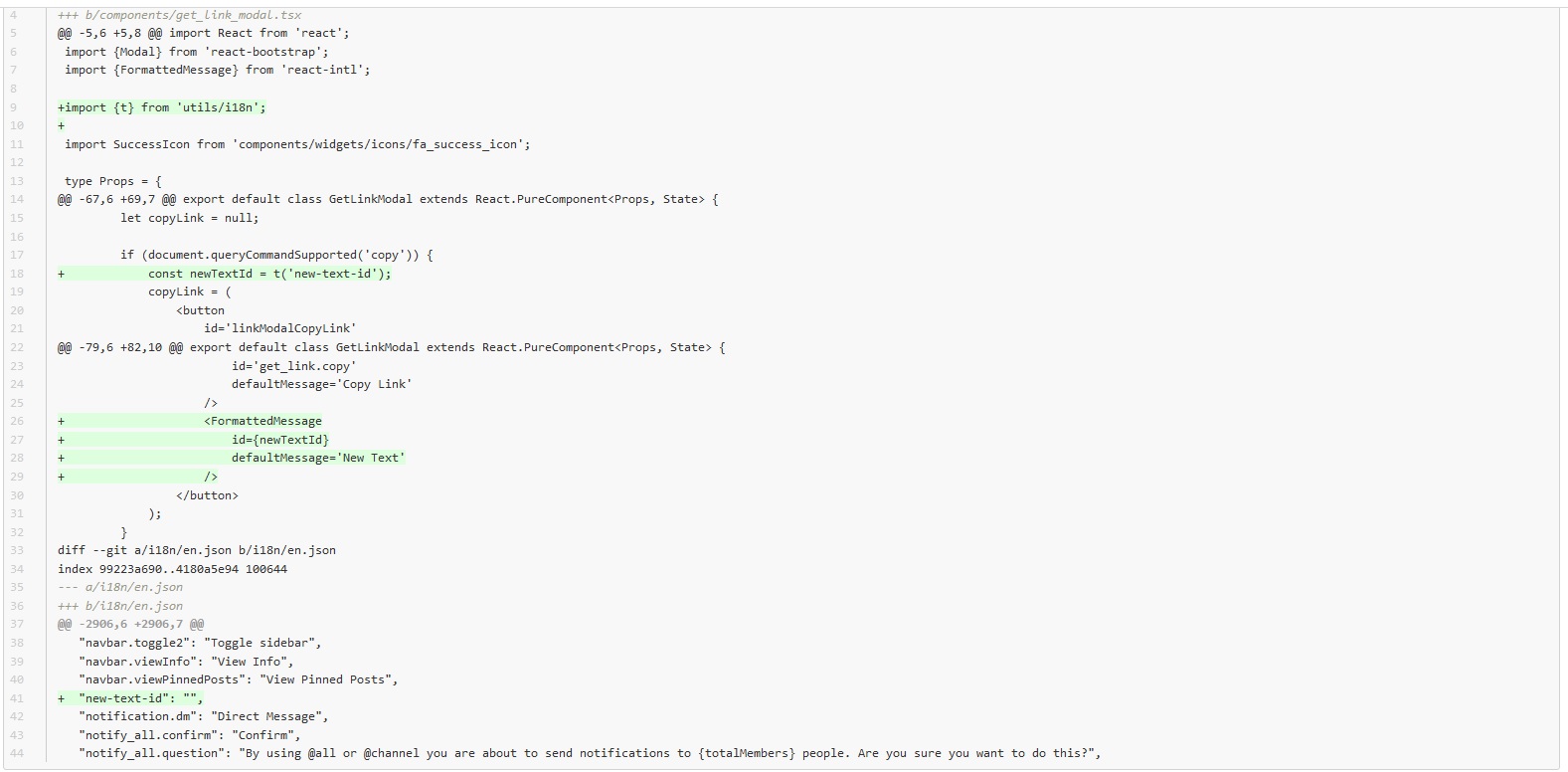
For further discussion about translations or to ask for help, refer to the following Mattermost channels: Localization and Contributors.